 Muninn
Shortcuts - Howto
Muninn reads your days; it does not record them. A Shortcut can. Declare a field, hand a Shortcut a value, and Muninn remembers.
Structure of a Custom Field
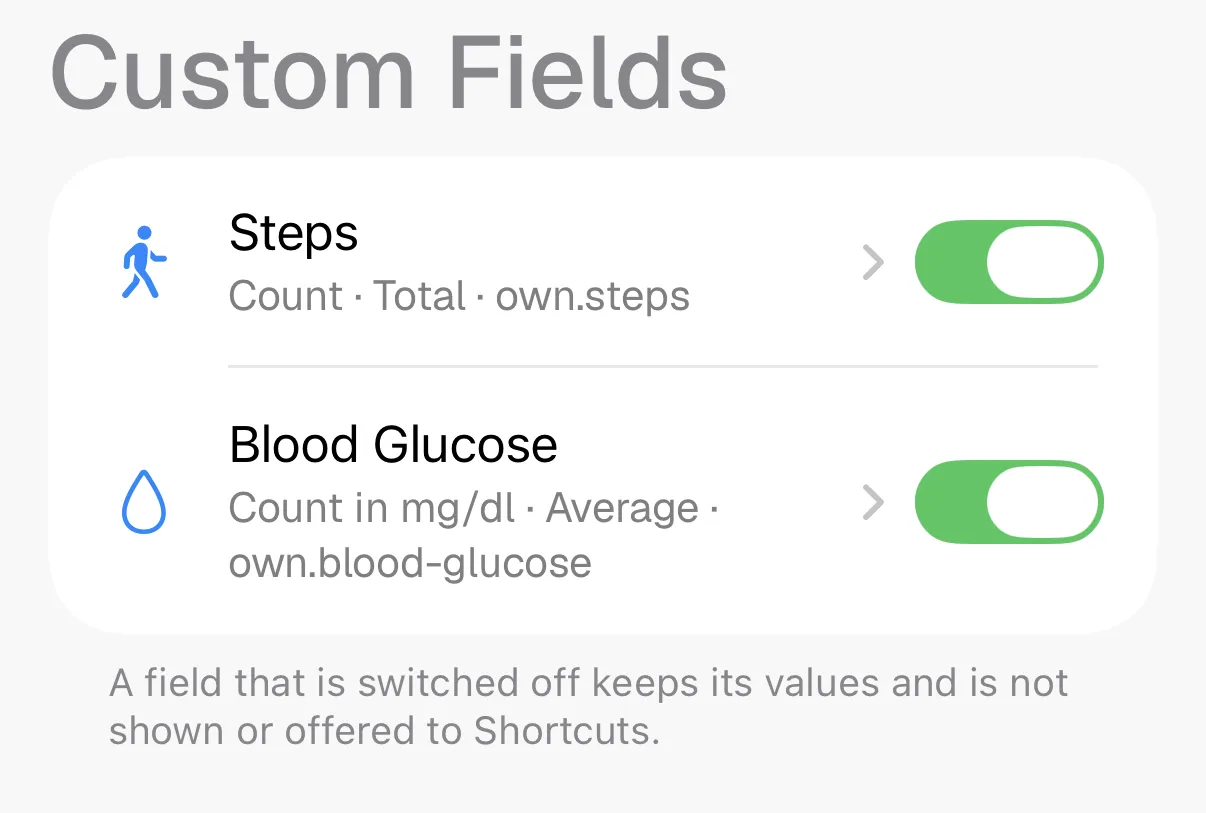
Custom fields are just that - a field with a type, name, and a few smaller UI declarations. You can declare them in the app or you can let a Shortcut declare them.
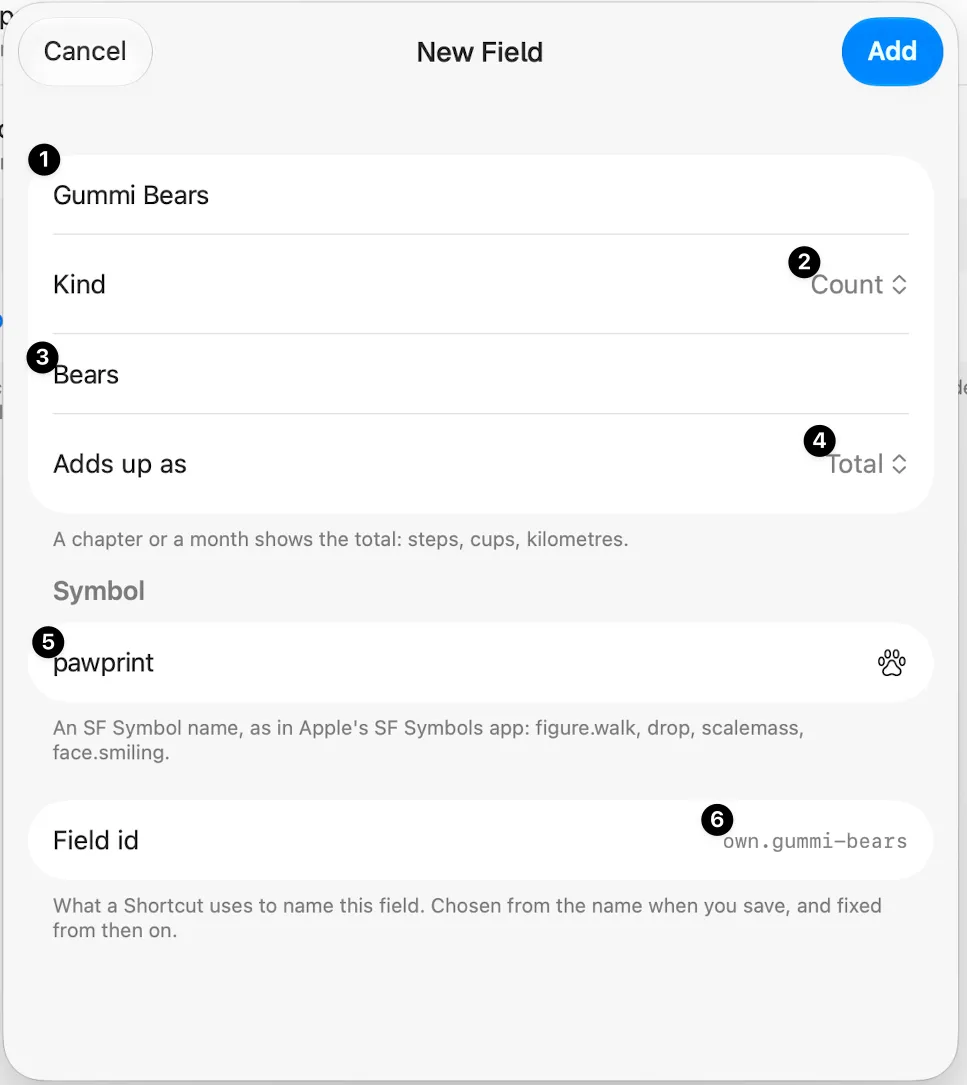
First a name (1). We call it “Gummi Bears” to count how many gummi bears we are eating each day. It’s a count, so we leave this
this setting at “Count” (2), but we could also use “Integer”, which would allow us to log fractions of a gummi bear, or text if
we wanted to log the names of each Gummi Bear we eat.
The symbol (5) can be any of Apple’s “SF Symbol” icons. Sadly, Apple does not provide an easy to access browser, so using your
search engine to find “SF Symbol <X>”, where <X> is a loose search term, is your best option. For some common ones, see
Appendix A.
The Shortcut
You can save yourself the manual addition if you use the “Declare Custom Field” action from Muninn’s Shortcuts actions. No worries, if it’s already declared, Muninn won’t declare it again.
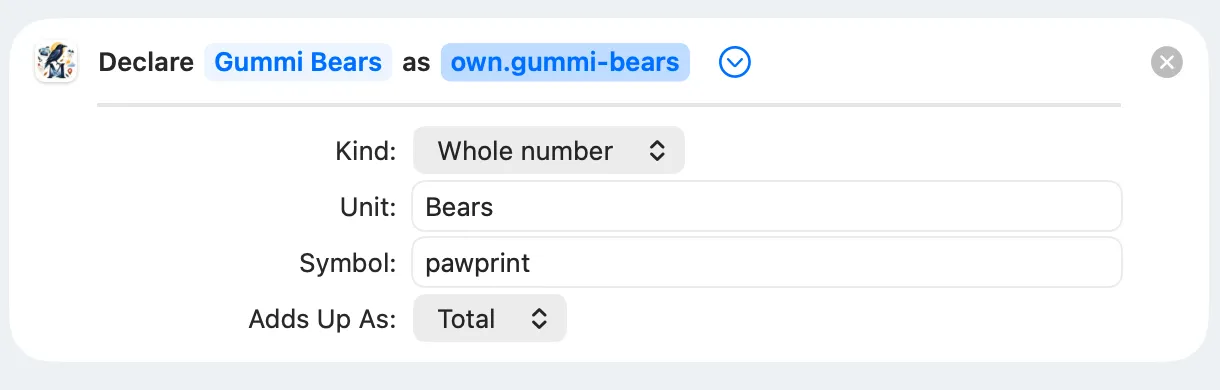
It’s actually pretty easy now:
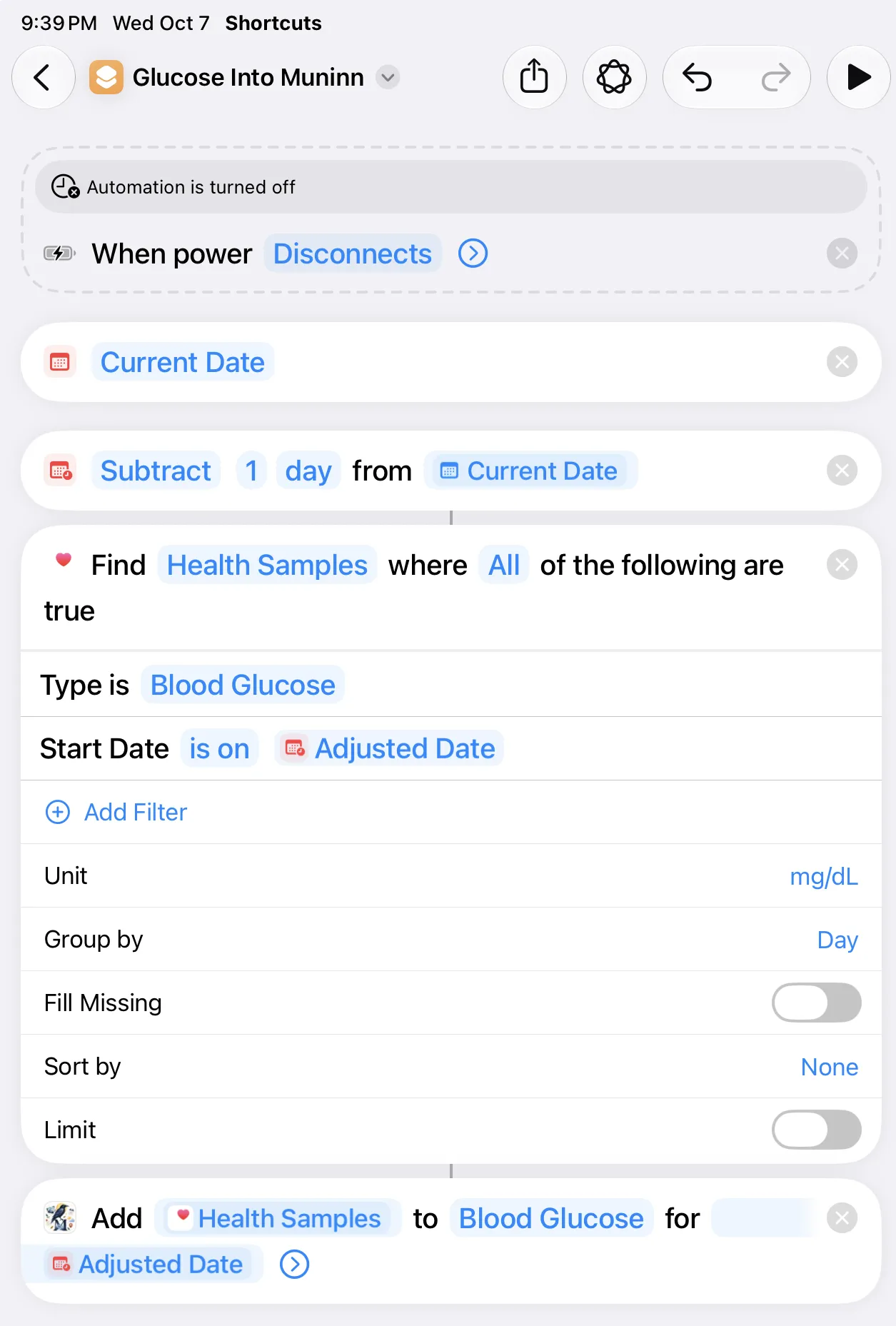
(1)is “Muninn:Get Custom Field” - search for “Muninn” in the actions.(2)is the “Set Variable” action(3)is “Ask for Input”(4)is “Calculate”(5)is “Muninn:Add Custom Field Variable”
Automations
Sadly, Apple removed the “First Unlock of the Day” automation trigger. So, instead, we use “Charger disconnected”, which is pretty much what happens in the morning in my case.
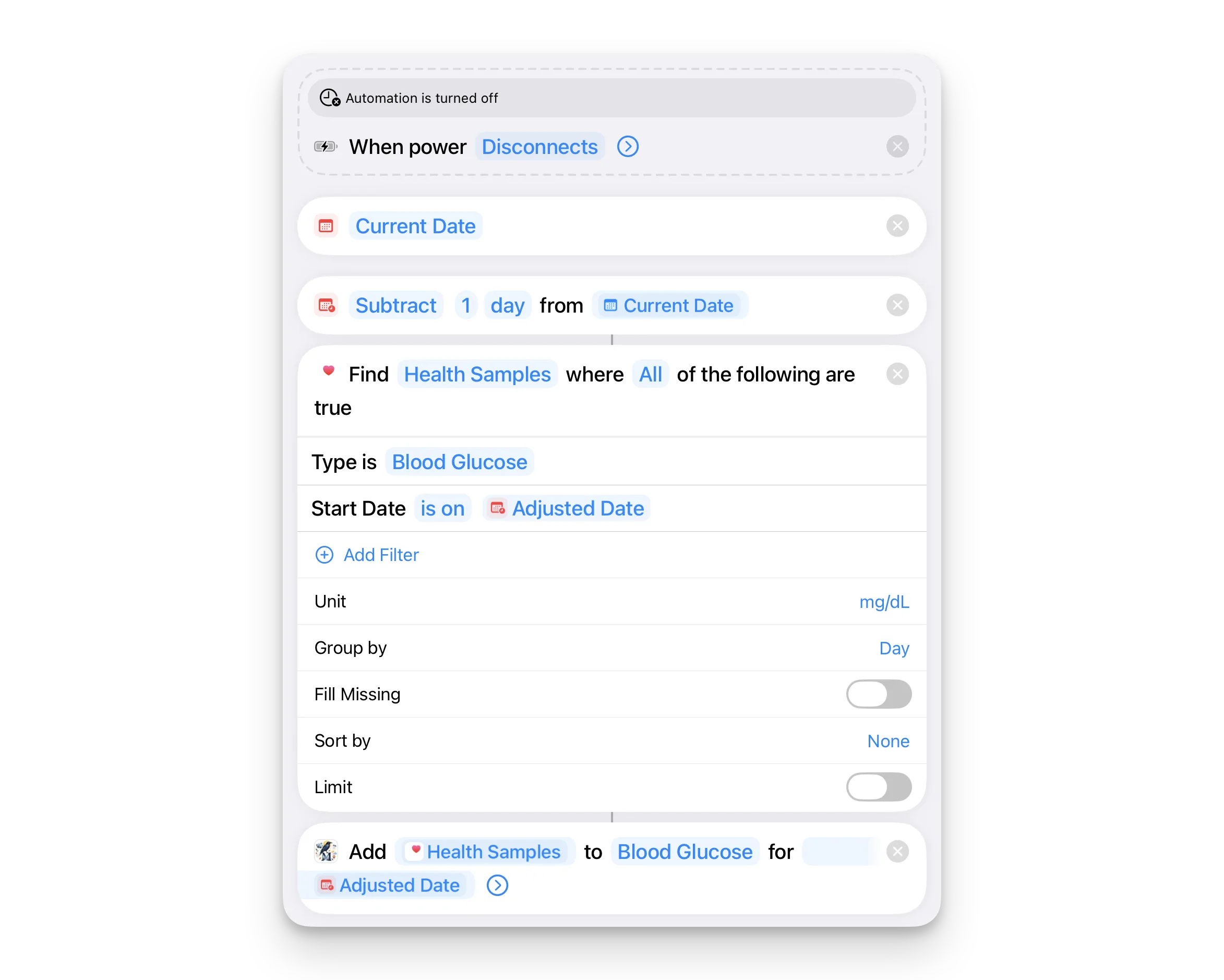
Two steps to make this more seamless
Create a “Main Shortcut” that runs all your shortcuts. Say, you have one to pull your steps, one to pull your energy, and one to pull your Glucose. Note: as soon as Smartcuts is released, this gets even easier.
Add the Date Guard to your Master Shortcut - Inside your Master Shortcut (before running the four shortcuts), add this logic:
- Current Date
- Format Date [Current Date] (set Date Format to Custom: HH, which outputs just the hour from 00 to 23).
- If [Formatted Date] is greater than or equal to 8 (tap on the “formatted date” pill and set the type to “number” to be able to use “greater than…”):
- Get File from Shortcuts/last_health_run.txt (turn off “Error If Not Found”)
- Format Date [Current Date] to Custom: yyyy-MM-dd
- If [File] does not contain [Formatted Date (yyyy-MM-dd)]:
- Text: [Formatted Date]
- Save File to Shortcuts/last_health_run.txt (turn on “Overwrite If File Exists”)
- Run Shortcut [Shortcut 1]
- Run Shortcut [Shortcut 2]
- Run Shortcut [Shortcut 3]
- Run Shortcut [Shortcut 4]
- End If
- End If
Note: If you’re getting errors or having issues, make sure everyting is set to “text” or “number” as appropriate.
Create the Automation Trigger
- In Shortcuts, go to Automation > tap +.
- Select App > choose Is Opened.
- Under App, pick 3–5 apps you open first thing every day (Safari, Mail, Messages, etc.).
- Select Run Immediately (disable Notify When Run).
- Set it to run your Master Shortcut.
Appendix A: SF Symbols
Some names that come up often, to save the search. Type the name exactly as shown, dots and all.
| For | Symbol name |
|---|---|
| Steps, walking | figure.walk |
| Running | figure.run |
| Cycling | bicycle |
| Swimming | figure.pool.swim |
| Blood glucose, blood | drop |
| Water | waterbottle |
| Weight | scalemass |
| Heart rate, blood pressure | heart |
| Temperature | thermometer.medium |
| Sleep | bed.double |
| Medication | pills |
| Mood | face.smiling |
| Coffee | cup.and.saucer |
| Alcohol | wineglass |
| Meals, calories | fork.knife |
| Reading | book |
| Writing | pencil |
| Music, practice | music.note |
| Money spent | eurosign.circle or dollarsign.circle |
| Weather | sun.max, cloud.rain |
| A habit, done or not | checkmark.circle |
| Anything else | star, flame, leaf, bolt |
Most of these also take a .fill ending, as in heart.fill, for the solid version.